Claude Utilities
Small, focused tools for claude.ai and Claude Code on the web.
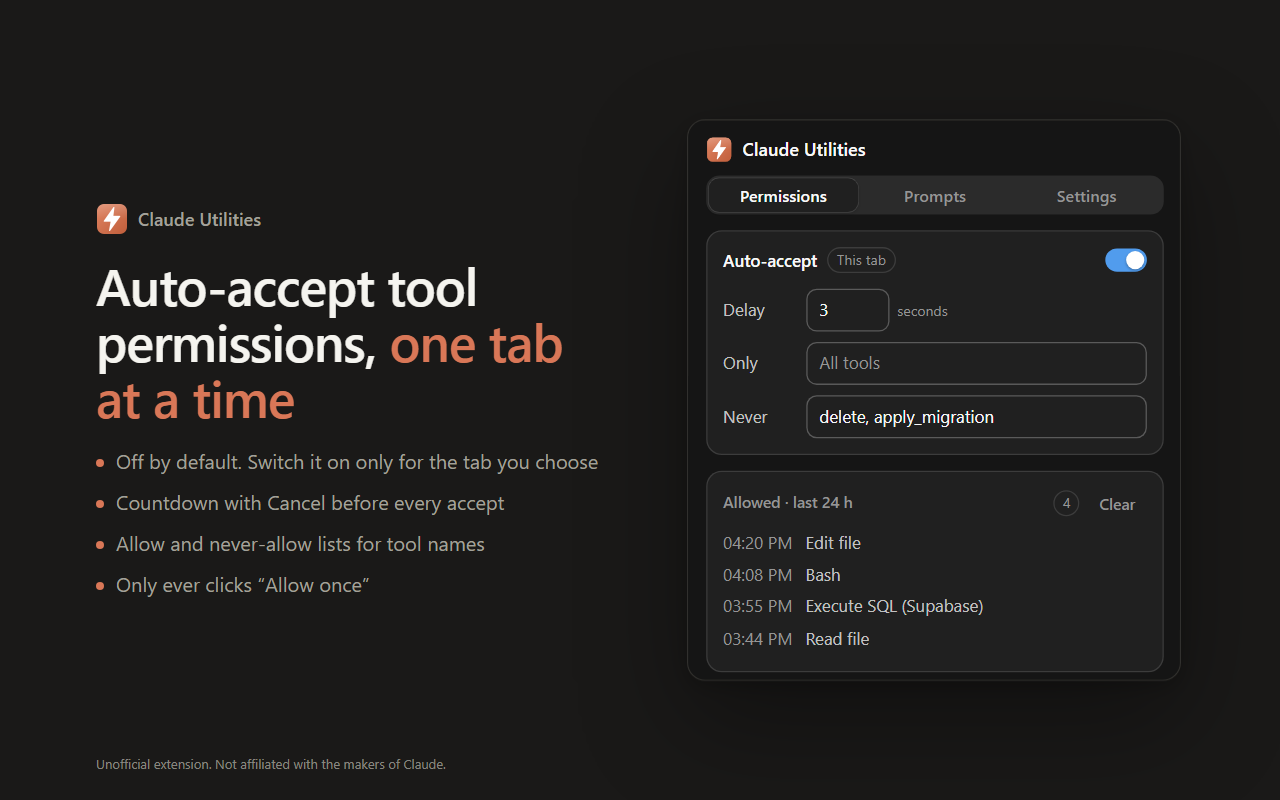
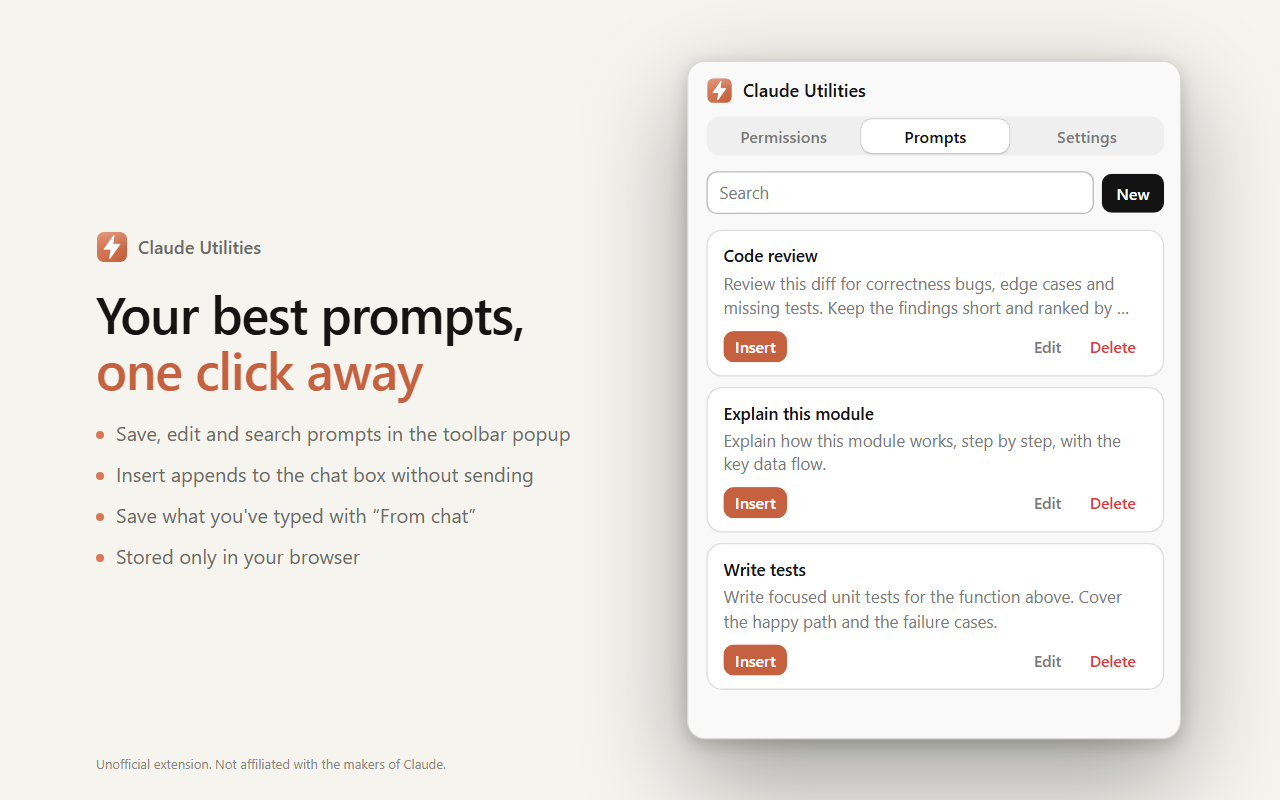
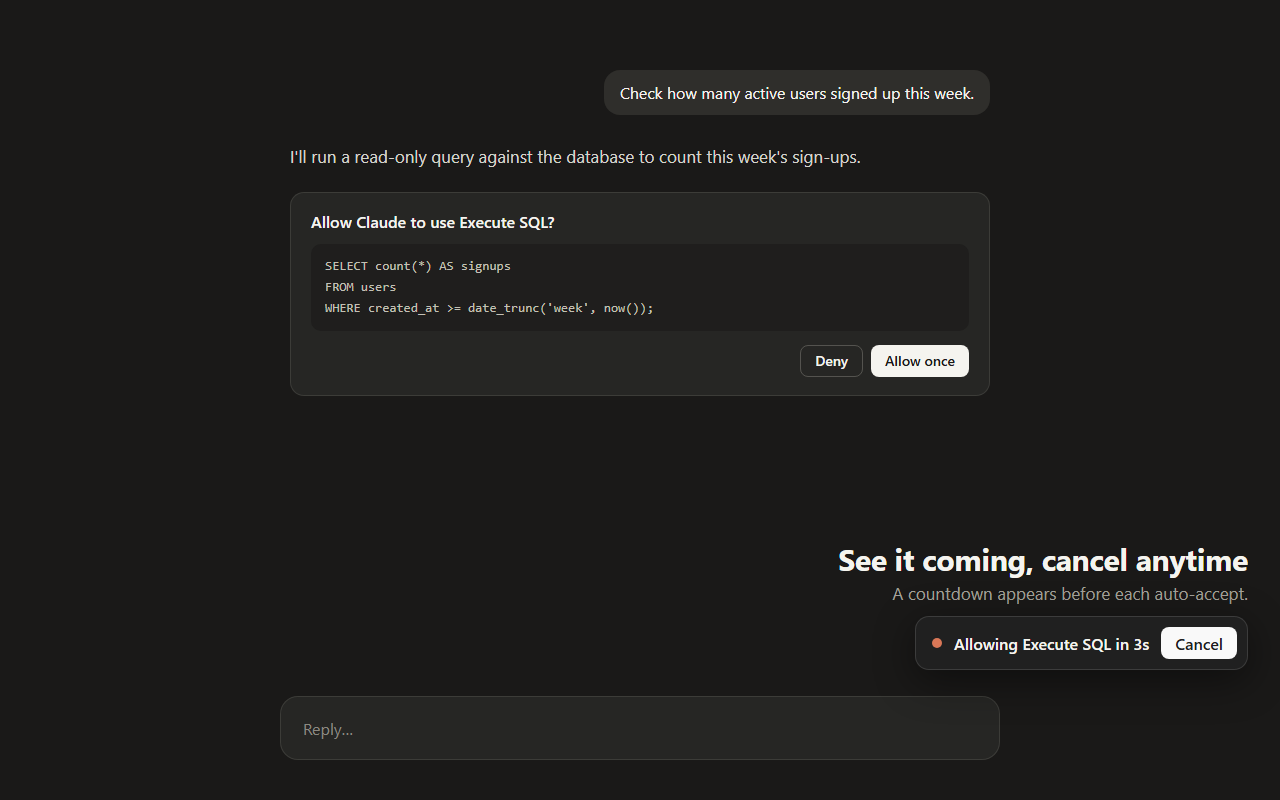
Claude Utilities adds per-tab auto-accept for claude.ai tool permission prompts, with a cancellable countdown, allow and never-allow lists, and a 24-hour activity log, plus a saved-prompts library that inserts into the chat box without sending. It is plain JavaScript with no build step, no server, and no analytics, and its popup follows claude.ai's look in light and dark mode.
Screenshots
What it does
Claude Utilities is an unofficial, open-source Chromium extension that auto-accepts Claude tool permissions in the tabs you choose and inserts saved prompts in one click.
- Per-tab auto-accept for claude.ai tool permission prompts, off by default and forgotten when the tab closes.
- Configurable delay with an on-page countdown and Cancel button before each accept.
- Allow and never-allow lists, so risky tools can always stay manual.
- Only ever clicks "Allow once"; never Deny or any "always allow" option.
- Scrolls long tool inputs so a scroll-locked "Allow once" becomes clickable.
- Toolbar ON badge and a 24-hour activity log that cleans itself up.
- Saved prompts: save, search, edit, and insert into the chat box without sending, or capture what you've typed with From chat.
- One-click JSON export of settings, prompts, and activity.
Permissions
Each permission is listed with the reason it exists. Optional permissions are requested only when the related feature is used.
claude.ai host accessRuns the auto-accept script on claude.ai and lets the popup check whether the current tab is claude.ai.
scriptingInserts a saved prompt into, or reads the text of, the chat box of the current claude.ai tab when you click Insert or From chat.
storageSaves settings, prompts, per-tab switches, and the 24-hour activity log in the browser.
alarmsRuns an hourly cleanup that deletes activity entries older than 24 hours.
Extension by Anuka Mithara